A hands-on, in-person AI training built around the work your team actually does, wrapped in the kickoff and follow-up calls that make it stick. Run by an operator who uses these tools every day to run real businesses, not a consultant reading from a deck.
OctoberHalf day · on site4 calls + a 1:1$2,000 all in
01How to think about AI02Chat / Cowork / Code03Excel · PowerPoint · Word04Hands-on use cases05Your real work06Q&A01How to think about AI02Chat / Cowork / Code03Excel · PowerPoint · Word04Hands-on use cases05Your real work06Q&A
Texas AI Lab.
Half day · in person
01
Who's running it
An operator · not a slideshow
You don't need someone technical at the front of the room. You need someone who has already made every beginner mistake with these tools and can move your team past them fast.
Trainer · Founder, Texas AI Lab
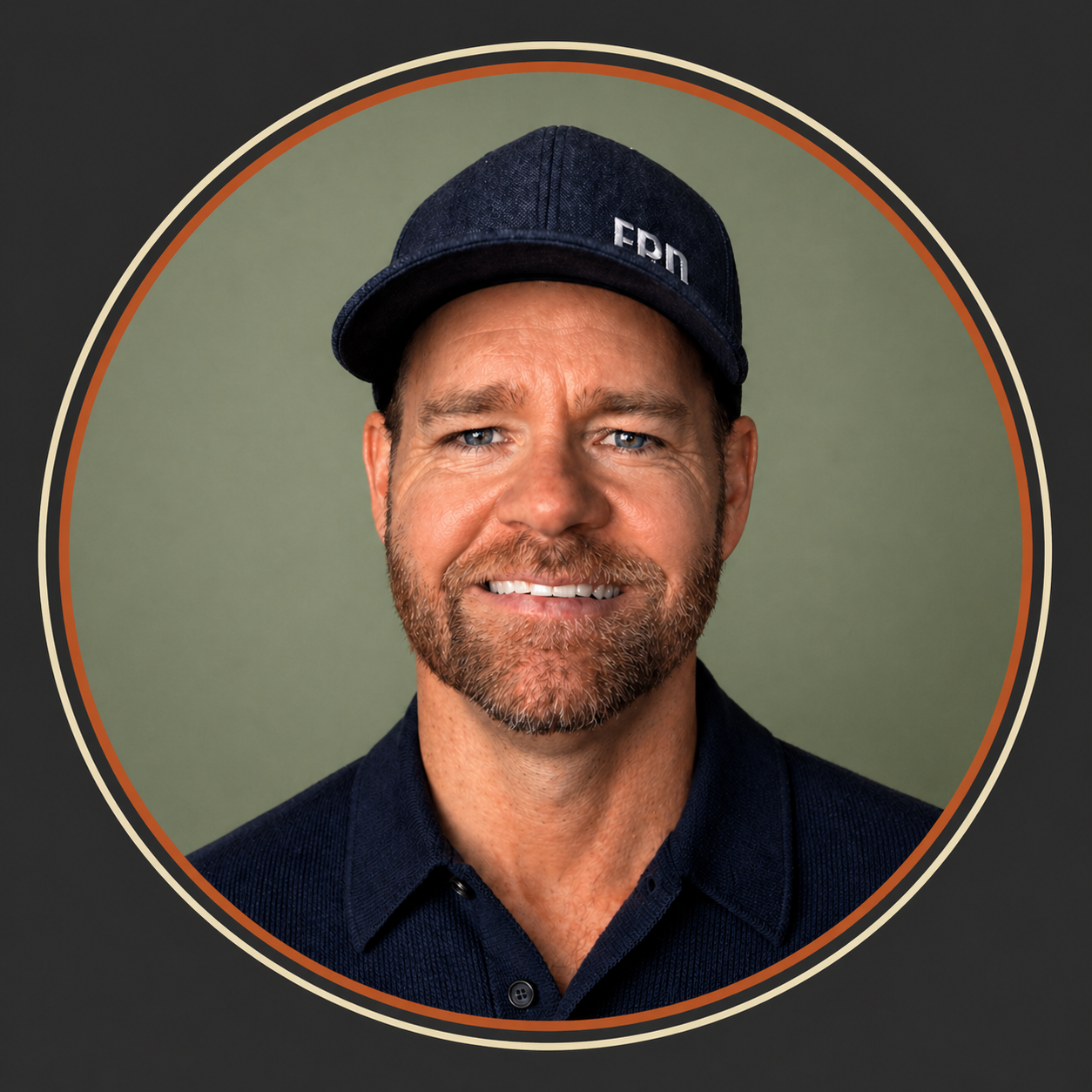
TJ Larkin
I'm not an engineer. Two and a half years ago I tried to build an AI startup with a technical cofounder and we couldn't get it done. Today I build that same kind of thing myself in an afternoon. That gap is the whole point of this training: your people do not need to be technical. They need someone who has already made every beginner mistake and can move them past it fast.
Owned and operated a $9M insurance agency before going all-in on AI
Builds and runs 20+ local media brands reaching 150,000+ subscribers, with AI woven through every part of the operation
Founder of Texas AI Lab
How I run the room. I lead from the front and work table to table, troubleshooting in real time. Nobody gets stuck, nobody gets left behind, and no one has to hold a question until the next break.
02
What your team walks away knowing
Tap through the day
We start with how to think about these tools, move through the three ways to use Claude, then spend the back half on your team's real work.
How to think about AI (the change-management half)
The hardest part of adoption isn't prompting. It's getting people to understand what an AI model actually is and what it can do for them. We start here so the rest of the day clicks.
What a model actually is, in plain language, so nobody feels behind
Why "it only knows what you tell it" is the single most freeing thing to learn
Setting up your personal context file so the AI stops writing in fluffy language you don't like
Psychological safety: we assume everyone in the room is a beginner, on purpose
Chat, Cowork, and Code, and when to use each
This is the question most teams are still asking weeks in: which tool for which job? We make the answer obvious.
Chat: fast thinking, drafting, analysis, the everyday workhorse
Cowork: working alongside the AI on a real document or task
Code: the heavier engine for files, data, and automation
A simple decision rule so they pick the right one without thinking
Where you'll actually use it
Same AI, several surfaces. We make sure nobody is intimidated by any of them, including the one that looks like code.
The desktop app for day-to-day work
Embedded in Excel, PowerPoint, and Word, where a lot of the work already lives
A calm walkthrough of the more technical views so the black screen stops being scary
How this maps to your current team setup
Hands-on: everyone leaves with real work done
The back half of the day is guided practice on actual tasks each person brought. They don't watch a demo. They do their own work, with me circulating table to table.
Guided prompting together on a shared example
Each person tackles two to three real, time-consuming tasks from their own job
Live troubleshooting at the table as questions come up
Everyone walks out with at least one task actually completed, not just understood
Q&A, troubleshooting, and what's next
We close open. Real questions, real screens, real problems, solved in the room.
Open floor: bring anything that's been stuck
How to keep the momentum going after the day
What to standardize as a team once everyone is fluent
A clear picture of what the next month looks like
03
It's more than the training day
Everything in the $2,000
1
Kickoff call
A Zoom in the next few weeks to get your team set up and pointed in the right direction before we go deep.
In the next weeks
2
Pre-training call
A working Zoom one to two weeks before the onsite, so the in-person day is built around Flintco's actual work.
1 to 2 weeks prior
3
Half-day onsite
I come to your office and train the team hands-on, on the AI tools and workflows that fit how Flintco operates.
October
4
Follow-up call
A Zoom one to two weeks after the training to unstick anything, answer what came up, and lock in the habits.
1 to 2 weeks after
Included bonus
A private working session for Tony
On top of the team engagement, you get a free one-hour AI working session, just you and me, before or after the onsite. We work directly on whatever you want to move on, and I help you as much as I can on the AI side.
04
Leave-behinds that keep paying off
Used the next morning
A
"Chat vs Cowork vs Code" cheat sheet
One page that ends the question your team is still asking. Which tool, for which job, every time.
B
Personal context file template
The fill-in-the-blanks starter that makes the AI write the way each person actually wants, no more fluff.
C
Role-specific prompt pack
Ready-to-use prompts built from what we learn about your team's real work on the pre-call.
D
Dictation setup guide
How to talk to the AI instead of typing. The single fastest quality-of-life upgrade, set up in minutes.
We want this to be worth at least 10x what you pay us.
The only way we hit that is by knowing exactly what "worth it" means for your team before we walk in. That's what the kickoff and pre-training calls are for. Tell us where the hours are going, and we'll build the day to win them back.